
Sonatype CLM for SonarQube
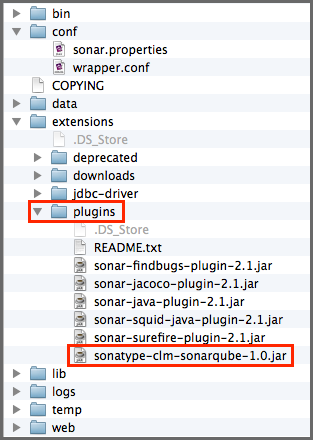
Once downloaded, find the extensions>plugins directory in your installation of SonarQube. Next, copy the Sonatype CLM for SonarQube JAR file (the one just downloaded from the link above) into this directory. Finally, start your SonarQube instance, and log in with your administrator account.
![[Note]](images/icons/note.png)
|
|
|
If your installation of SonarQube is running, stop it before adding the plugin. |