
Sonatype CLM Server - Policy Management Guide
After we have created a license threat group as described in condition Section 7.5, “Creating a License Threat Group”, lets create a condition based on it.
- Create a new policy with the name Legal
- Change the name of the initial constraint to Banned License.
- Click on the Add Condition button for the Banned License constraint.
- Choose License Threat Group from the condition drop down, select is not from the operator drop down and then select Banned Licenses as the value.
- Configure the Actions as desired.
- When everything is done you screen should look like Figure 7.2, “Creating a Condition Evaluating a Label” and you can click the Save button to finish.
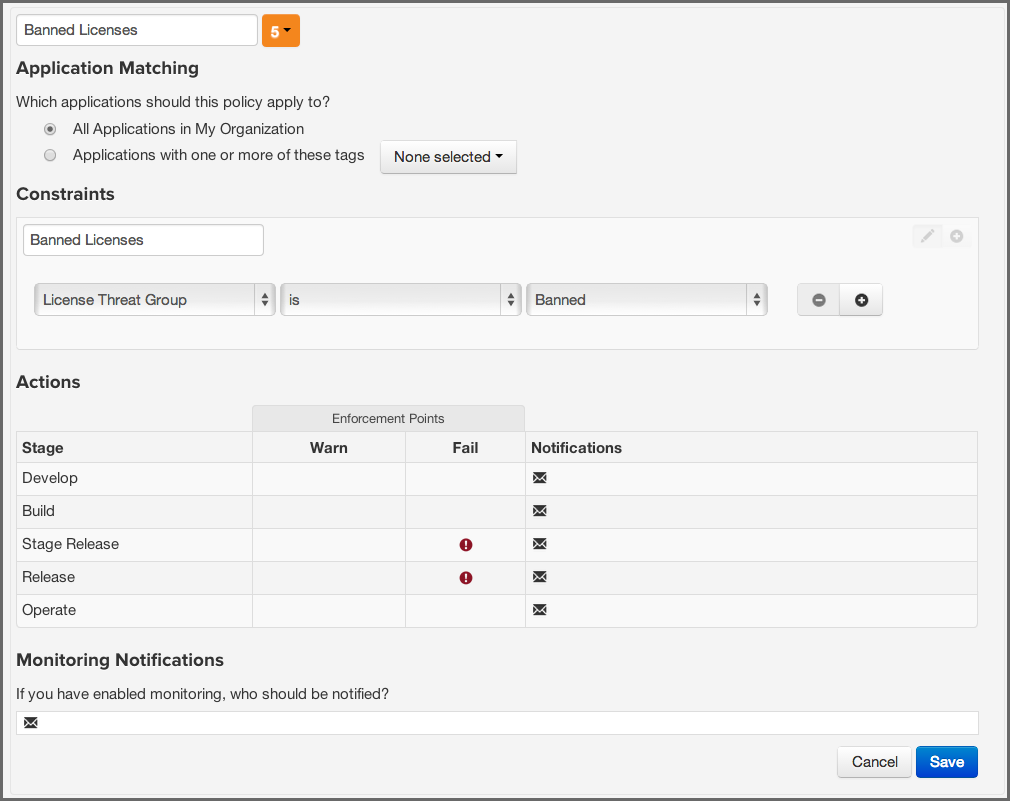
The created policy will be violated by any component that is licensed under the AGPL or AGPL-3.0 license.